01
Menu bar control center
Always one click away in your macOS tray. View all registered services — running, stopped, or building — with search, filtering, and custom group ordering.
tray · dockless · keyboard shortcut macOS · local dev
For product builders
Stop juggling a dozen Terminal tabs. Duck Launcher starts, stops, and logs every dev server from a single macOS app — grid or list, dev and prod profiles, live CPU and memory.
v0.1.3 · 13 MB · Apple Silicon · DuckLauncher.0.1.3.dmg
duck launcher · start · stop · logs · dev & prod profiles · cursor stop-hook
// 01 — built for power developers
Duck Launcher goes beyond simple start and stop. It monitors system health, eliminates port conflicts, and reclaims gigabytes of hidden cache.
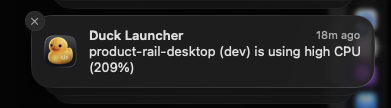
Runaway Vite build loops, webpack watcher hangs, or memory leaks won't silently cook your Mac's battery. Duck Launcher continuously monitors background processes and sends native macOS notifications the moment an app exceeds CPU limits.
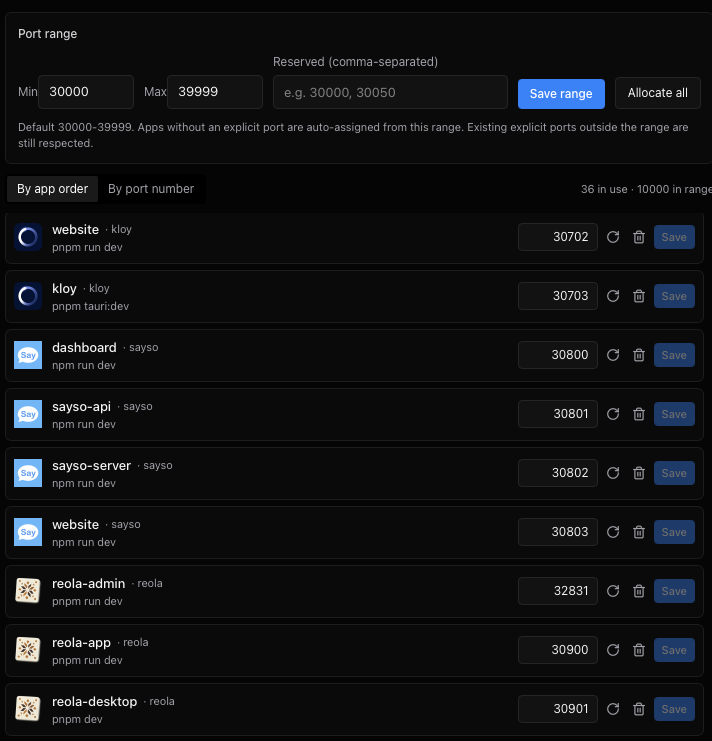
Say goodbye to EADDRINUSE errors when running multiple dev servers simultaneously. Define your preferred port range (e.g. 30000–39999), and Duck Launcher auto-assigns guaranteed unique ports to every project.
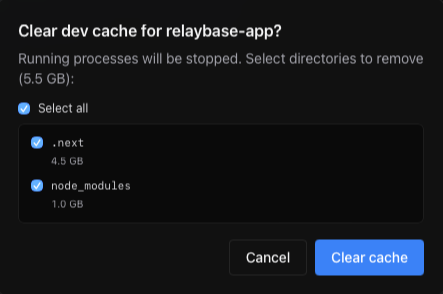
Framework caches in .next, .turbo, and node_modules silently balloon to tens of gigabytes. Duck Launcher measures exact folder sizes, stops running processes safely, and wipes out bloated dev caches in seconds.
// 02 — built for your stack
Duck Launcher treats your Mac like a local fleet: register once, switch profiles, tail logs, and automate builds without switching desktop windows.
Always one click away in your macOS tray. View all registered services — running, stopped, or building — with search, filtering, and custom group ordering.
tray · dockless · keyboard shortcutSwitch between rapid dev mode (with HMR) and a production build preview with a single toggle. No more editing package scripts or forgetting port collisions.
profile: dev (3000) | prod (4000)Spot runaway dev servers, memory leaks, or hung compilers before your laptop fans take off. Real-time per-process metrics right in the popover.
cpu: 14.2% · mem: 182 MB · port: :3000Tail logs inline or expand into a dedicated window. Copy clean formatted logs with environment and port context directly for debugging or sharing.
stdout | stderr · strip ansi · copy reportPoint Duck Launcher at a folder root to detect npm, pnpm, yarn, or bun scripts across packages. Onboard 10+ services in under 30 seconds.
scan ~/Projects/monorepo --detect-scriptsClose the loop on AI coding. When a Cursor agent session completes, Duck Launcher automatically builds, restarts your prod preview, and notifies you.
hook: onAgentStop -> build -> restart -> notify// 03 — visual views
Toggle between a compact status list and a spacious desktop grid. Organize services by client, group, or priority.
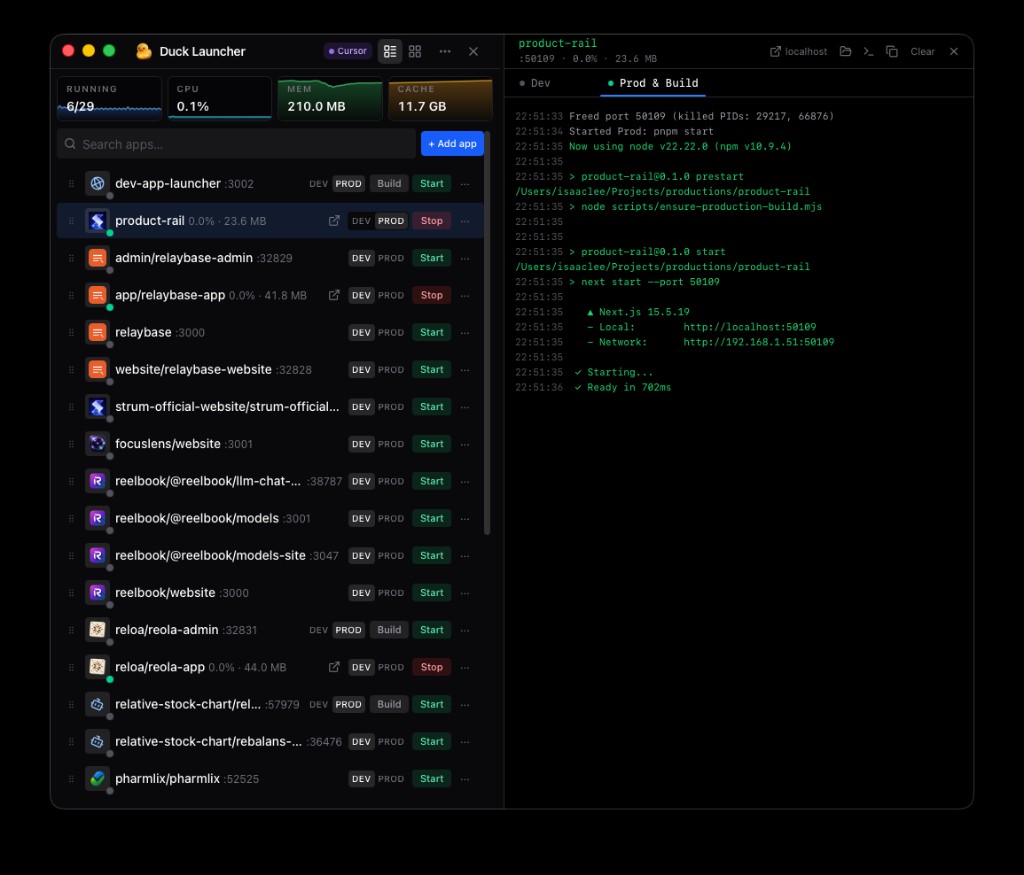
Dense row controls designed for keyboard efficiency. Quickly toggle dev/prod profiles, open ports, view CPU/RAM usage, and stream logs.
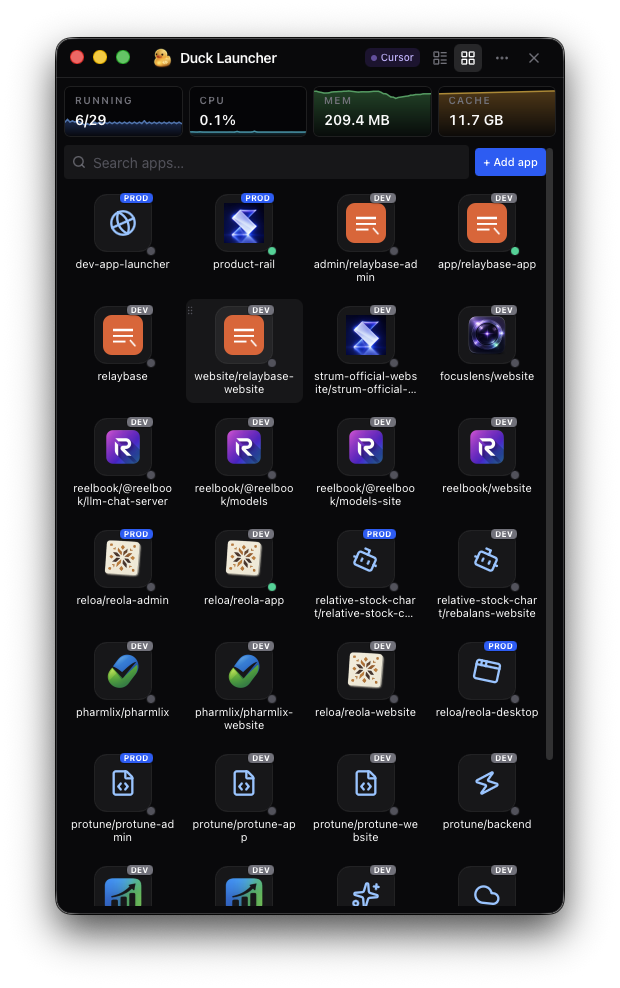
Card view with at-a-glance health metrics. Group projects by repository or team, drag to reorder, and start or stop full stacks.
// 04 — workflow
Built for developers who want a single reliable control plane for their local machine without Docker complexity.
Drop in a project directory or bulk-scan a monorepo. Duck Launcher detects package manager scripts, open ports, and frameworks automatically.
Run individual apps or entire groups with one click. Toggle between dev hot-reloading and production preview servers on dedicated ports.
Check live CPU and memory usage at a glance. Stream logs in real-time, search for errors, and open localhost URLs directly in your default browser.
Enable the stop hook so every time Cursor's AI agent finishes coding, Duck Launcher automatically triggers a rebuild and restarts the preview.
Ready when you are
Download the notarized macOS app, drag it into Applications, and stop juggling terminal tabs for good.
v0.1.3 · 13 MB · Apple Silicon · DuckLauncher.0.1.3.dmg